Release Notes

LeadBoxer Product Changes

The most recent updates to the LeadBoxer product.

February 18, 2021

2021 Feb 18 – Product Update

In the first weeks of this year (2021) we worked and improved many different aspects of our platform.

User Interface improvements

For you, the end user, you will most likely notice that we implemented a slight redesign of our application user interface. We hope you enjoy or appreciate (or both).

New Filters

The redesign also included a grouping of filters into 4 categories and an additional 2 new filters:

  1. Channel
    You can use this to filter and segment your leads based on their (original) acquisition channel.
  2. From email (Sender)
    As more and more of our customers discover the power of our individual email tracking through Gmail or Outlook, you can now filter and segment based on the Sender of the email. Note: the sender needs to be a user in LeadBoxer to show up in this list.

Improved ISP filtering

We have  implemented an enhanced ISP filter, meaning we can now filter out the vast majority of ISP’s mobile carriers, CDN’s and hosting providers.

CSV files notifications for Accounts view

You can now set .CSV files as format in your daily or weekly email notifications for Accounts view.

Enhanced firmographic data

As part of the premium plan, you can now get firmographic social profiles, phone numbers and email addresses.

Active Demand integration improvements

We now support enrichment of contacts that came through a webform.
We also offer enhanced firmographic data.

Further updates

  • Custom domain for LeadBoxer User Interface available for agencies/resellers
  • We improved channel logic for better classification
  • Fixed numerous bugs
November 27, 2020

2020-06 Product Update

Google Places Integration

The companies database that LeadBoxer uses for enrichment is large and very accurate. But there are many (smaller) companies out there that are not in the main enrichment databases we use such as Linkedin or any of the other sources we use.

For that reason we now support the Google Places API for improved enrichment of smaller local companies.

Meaning that if you add a Google maps API key, we will use the Google API to enrich your leads with the places company details like address, domain, and phone number.

For detailed instructions see this link: Google Enrichment

Mailchimp Automations

We have added support for Mailchimp Automations campaigns, meaning that if you send out emails through Mailchimp automations (like drip campaigns, auto-follow-ups, etc) we will now grab the behavioral data (email opens, clicks) and add these to LeadBoxer profiles.

Read more from Mailchimp on creating Automations in Mailchimp


Other Updates:

  • Multiple small improvements for the Active Demand integration
  • Squashed a few small bugs in the Pipedrive Leads integration
October 29, 2020

2020-05 Product Update

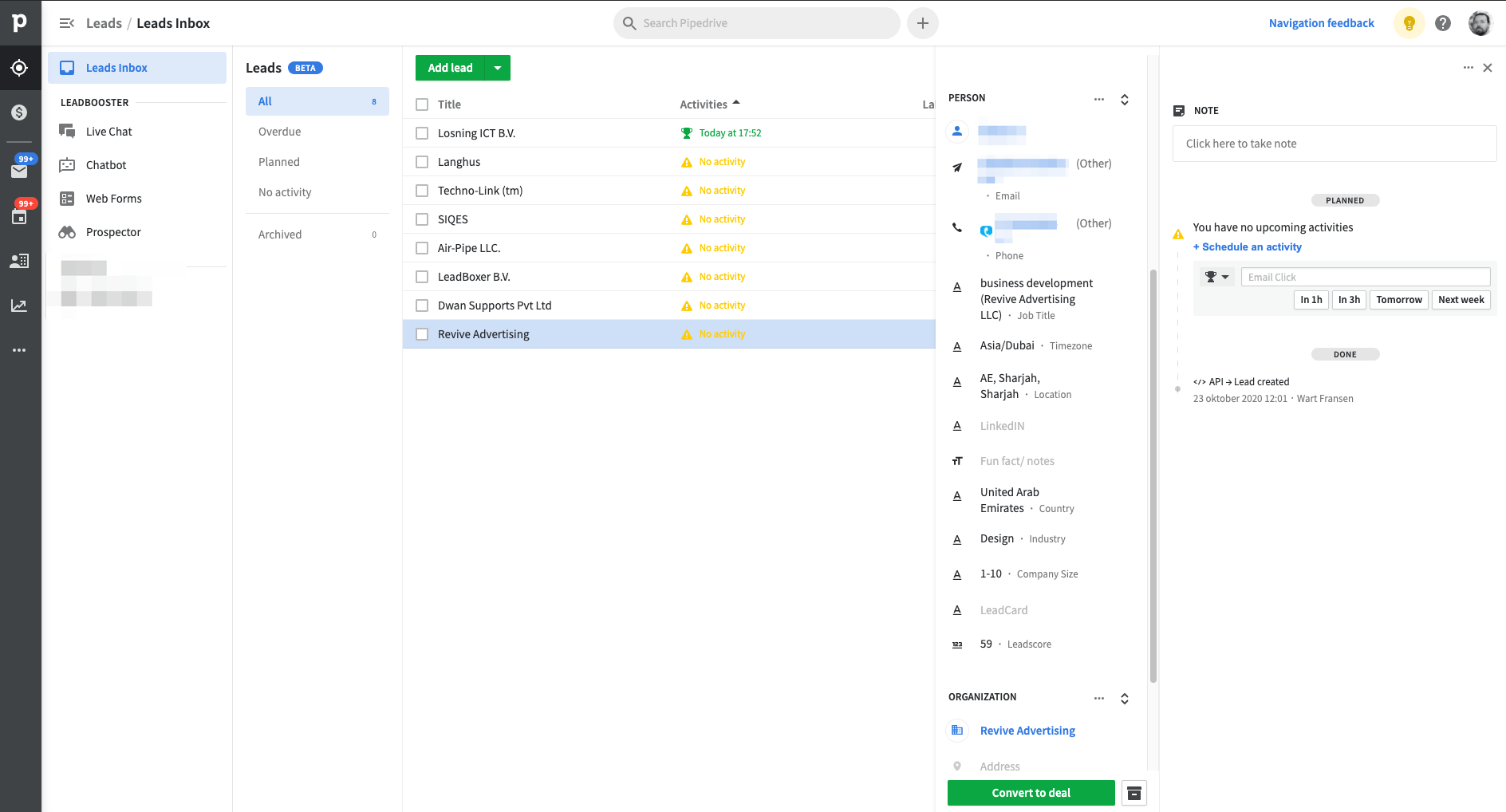
Pipedrive Leads Integration

Get identified website visitors in Pipedrive as Leads

We are extremely proud to announce we are the first third-party integration provider that can push website visitors to the new Pipedrive Leads section.

Contact us for more details


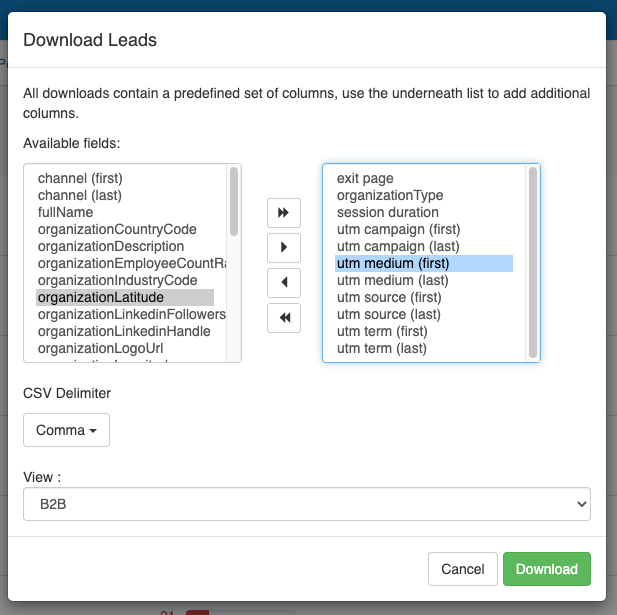
CSV Download improvements

  • Added the CSV download selector to the accounts view
  • Cleaned up the .CSV download selector and removed many irrelevant fields


Other Updates:

  • We improved our identification for IP6 type IP addresses
  • Multiple small improvements for the Active Demand integration
  • Improved the documentation for the Accounts view API endpoint
  • Fixed a bug in the Pipedrive integration that was causing companies with special characters to duplicate
August 20, 2020

2020-04 Product Update

Summer updates

We’ve implemented many changes and improvements over the last few months. Highlights:

Company profile improvements

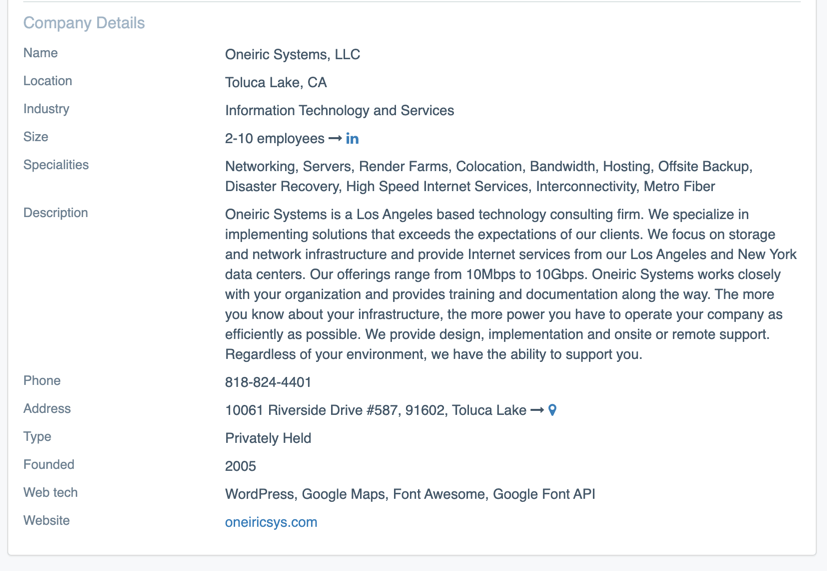
We cleaned up the Company Profile and added company address, phone, founded date, company type, status.

Pipedrive

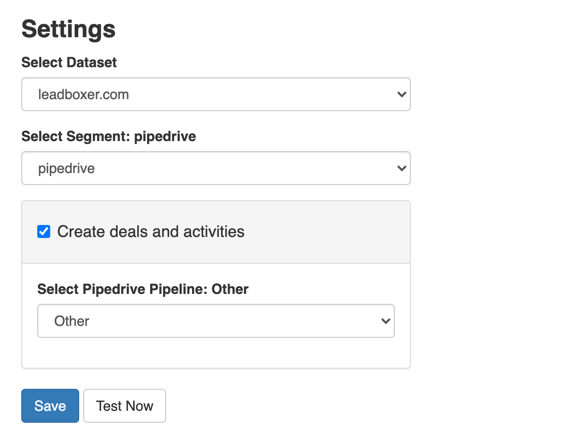
  • Added the option to turn off automatic deal creation.
  • Fixed a bug so that hidden leads are now no longer synced to Pipedrive

Mailchimp custom fields

We added the option to import any custom fields that you have specified within your Mailchimp audience lists.
This means that if you have any additional fields in your Mailchimp database, we can grab these fields and add these to the profile of the lead or customer.

Contact us if you would like to set this up

Google BigQuery integration

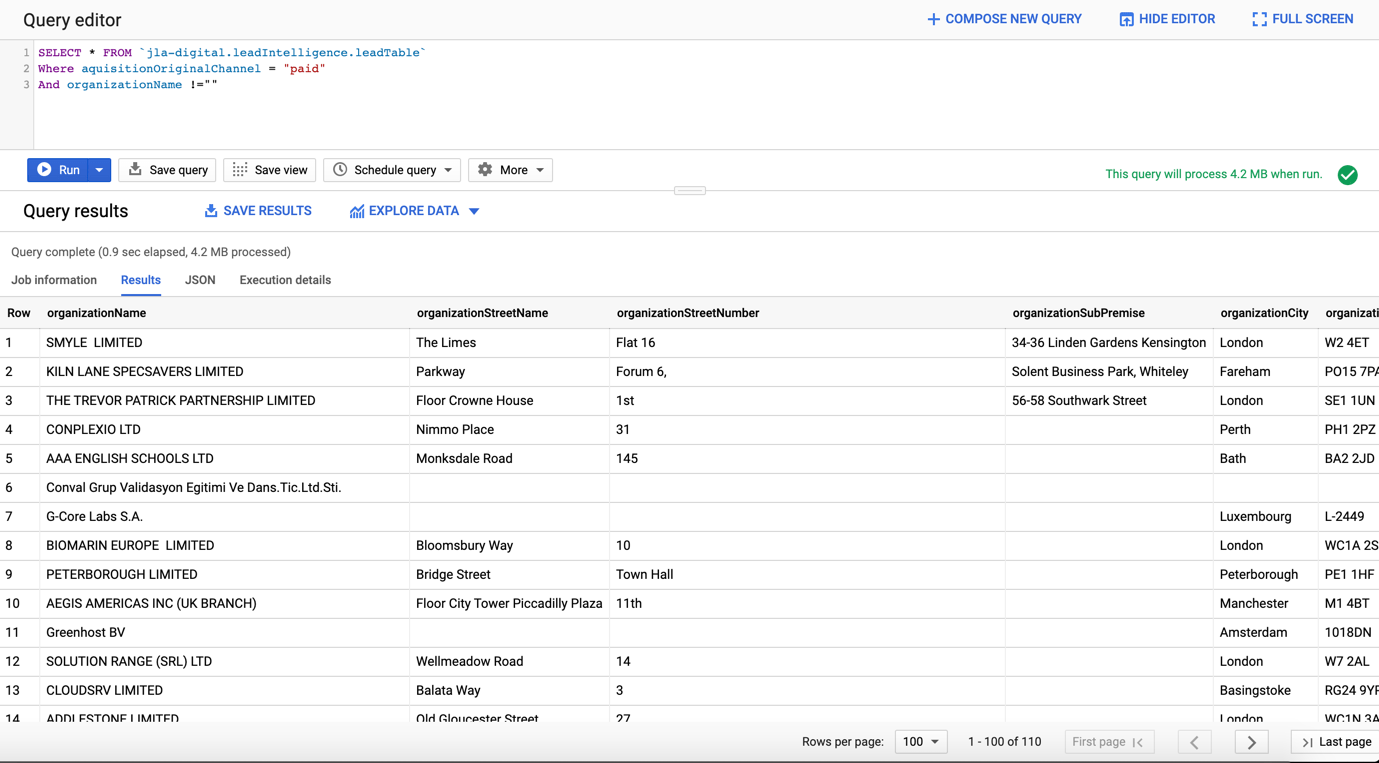
We can now automatically upload all your raw or filtered behavioural web & email data into Google Big Query tables.
This enables you to analyse and query your raw web analytics data in ways you would not be able to in Google Analytics or any other major web analytics platform.
Note: This integration requires a Premium plan.

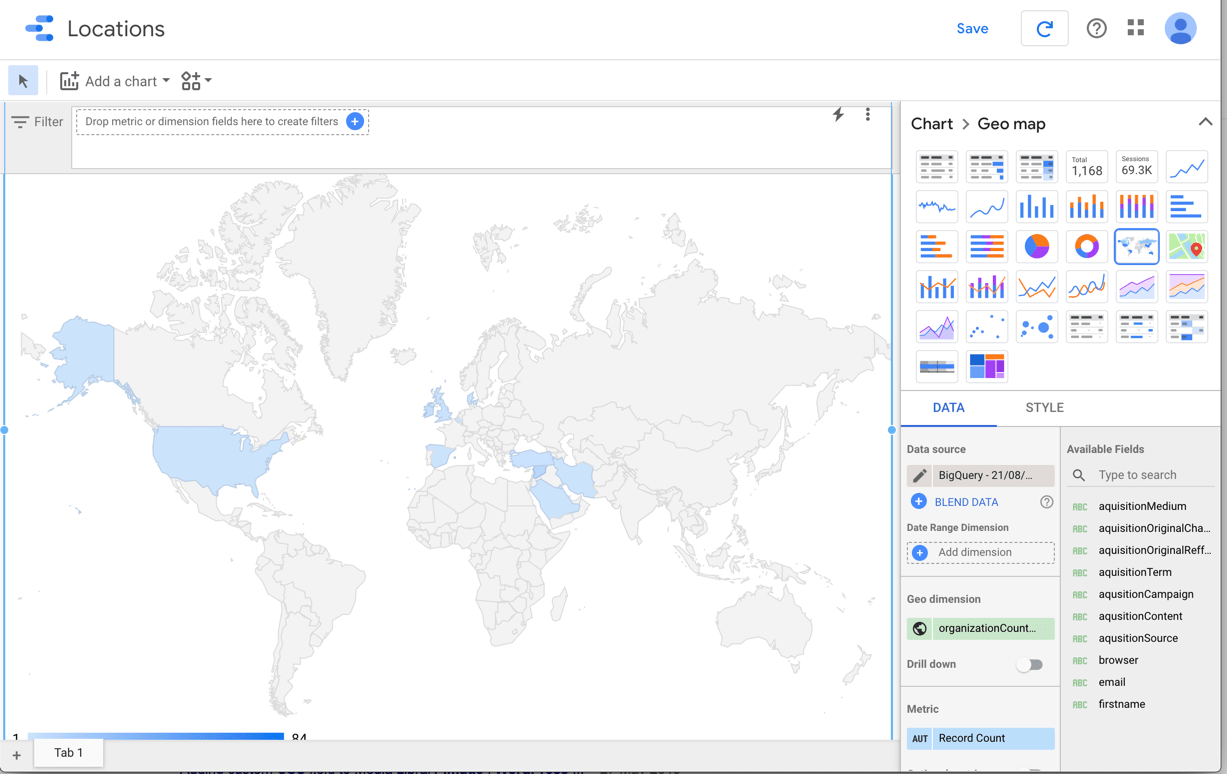
Bonus: easy connect to Google Data Studio

Web Technology enrichment

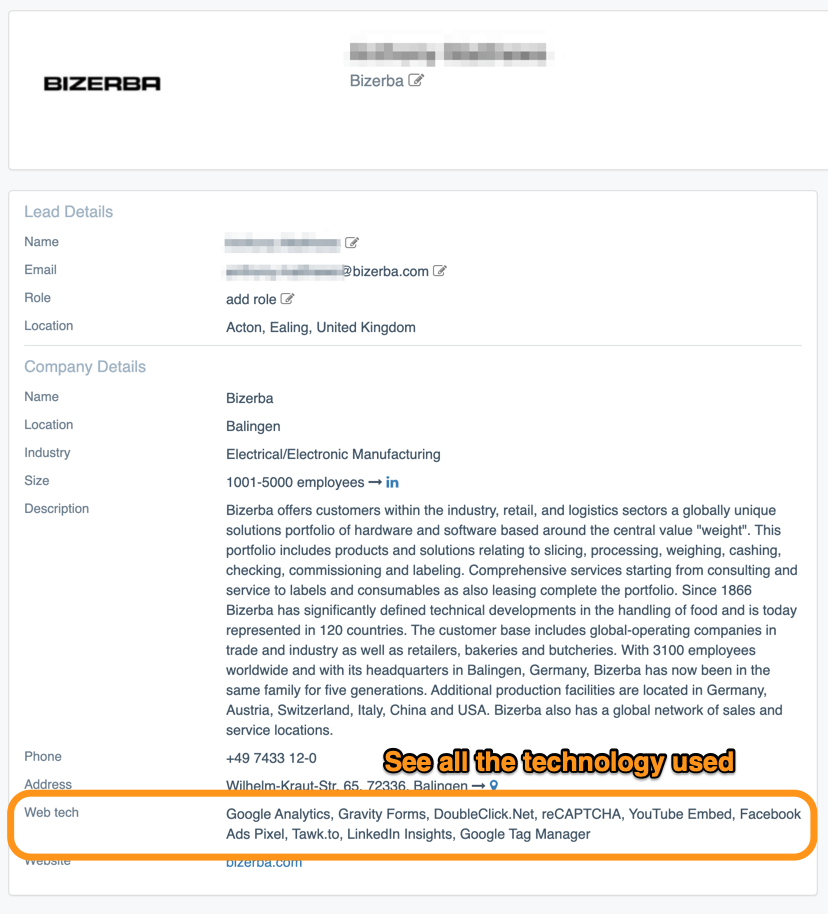
We can now enrich leads and customer companies with their web technologies.
Meaning we will show all the technology and products used in their main website.
Note: This integration requires a Premium plan.

Clearbit Integration

You can now add a Clearbit API key to enrich your leads from their person and company database.
Note, this is a paid service from Clearbit


More Logos

We have added a new source for logo enrichment based on domain names. You will see more logos in the LeadBoxer application.


Other Updates:

  • Select today, yesterday, last 7 days and last 14 days in the Accounts view.
  • We unified all company related fields into Organization* fields
  • In the download spreadsheet, we cleaned the Company name field
April 07, 2020

2020-03 Product Update

Active Demand Integration

We have built a native integration with marketing automation platform Active Demand

You can use this integration to:

  • Identify companies and individuals visiting your website
  • Automatically add these to your Active Demand organisation list
  • Enrich existing contacts from your database with firmographic information when they visit your site
  • Enrich existing contacts with firmographic information when they open your emails 

[et_pb_divider _builder_version=”4.0.4″ custom_margin=”68px||-4px|||”][/et_pb_divider]

New email notifications for Accounts view

You can now select ‘account’ in your segment notifications view and you will receive our new and completely redesigned notification emails. Data is grouped per account (company name) and shows many more details.

    Dutch Chamber of Commerce update (KvK)

    • Implemented direct connection with Dutch Chamber-of-Commerce
    • Data is now continuously updated
    • Matched the Dutch Chamber-of-Commerce (kvk) industry codes to LinkedIn industries for better filtering
    • Improved matching on domain name, existing trade name, etc


    Additional updates

    • We now sort datasets alphabetically on the dataset page and in the datasets dropdown menu
    • When changing a segment from ‘leads’ to ‘accounts’ view, the format is now properly updated
    • Increased the limit on accounts view download to 2500
    • Fixed a bug where we were showing all columns when downloading
    • Made the industry groups readable
    • We now store all industries in English
    • Removed URL’s for email open events (preventing confusion)
    • Updated the segment overview page to show if the view is for Leads or for accounts
      February 12, 2020

      2020-02 Product Update

      Improved Account view download

      The Account view download now includes Industry, size, LinkedIn Link, website and logo


      Pipedrive: Marketing source for your deals

      We now add all the marketing (UTM) tags captured with LeadBoxer to your deals.
       
      This has multiple benefits including:
      • Find out which marketing campaigns led to closed deals!

      Do we need to say more?


      Other updates

      • We fixed an issue in the tracking script that prevented tracking iframes in some cases
      • We now Ignore email opens that happen in rapid succession (within 1 minute)
      • Pipedrive: we have changed the Leadscore field as a number field, so this can be used in rules/workflow.

      [et_pb_divider _builder_version=”4.0.4″ custom_margin=”68px||-4px|||”][/et_pb_divider]

      January 08, 2020

      2020-01 Product Update

      Pipedrive email tracking for your team.

      We now create unique activities in Pipedrive for email open and email click behavioural events, and list all details inside the accompanying note. 
       
      This has multiple benefits including:
      • See all email behaviour right inside Pipedrive
      • See email behaviour from all emails that went out, not just from the ones you send yourself.
      • Use Pipedrive automation rules to create an automated workflow based on specific email behaviour.

      [et_pb_divider _builder_version=”4.0.4″ custom_margin=”68px||-4px|||”][/et_pb_divider][et_pb_code _builder_version=”4.8.1″ _module_preset=”default”][/et_pb_code][et_pb_code _builder_version=”4.8.1″ _module_preset=”default” hover_enabled=”0″ sticky_enabled=”0″]

      [/et_pb_code]

      December 16, 2019

      2019-12 Product Update

      New option: Mask IP-addresses for GDPR compliancy

      IP Address Masking allows you to anonymize computer IP addresses by setting IPv4 IPs and IPv6 IPs to zeros. Depending on your requirements, you can now enable this feature per dataset. Note that anonymization is processed at storage level, meaning we will still use the IP address to identify the company, organisation, location and other (generic) profile data – but that the IP address is never written to disk.

      This is useful if you do not want to mention LeadBoxer in your privacy statement. If that is the case, for EU GDPR compliance you need to anonymize IPs (unless capturing and storing IPs is absolutely necessary for purposes such as legal investigation, transaction fraud prevention, etc.).

      See documentation


      Updated Account view

      After the exciting debut of Account view 2 weeks ago, we have fixed some minor bugs and added additional data to the views.

      Here are the main changes:

      • Added download functionality to Account view
      • We order the individual leads within an account a) first by identified leads, b) then by score
      • We now use company logo for accounts, not avatars
      • We now show the role Property in account view – lead list (see other update below)
      • Added options to add/change Email, Name, and Role in the lead details modal view
      • We fixed a bug that caused switching URL/title in the lead modal to stop working
      • Improved layout of company details to improve screen real-estate
      • Added organisation phone numbers
      • Added hot-link to website address
      • Minor UI improvements


      Go to the LeadBoxer App


      [et_pb_divider _builder_version=”4.0.4″ custom_margin=”68px||-4px|||”][/et_pb_divider]

      Automatic  prevention of duplication 

      We now automatically find and merge all duplicate persons in your data, using the email address as unique identifier.

      Duplicate or instances where multiple persons with the same email were created occur when people use multiple browsers, devices, private or incognito windows, etc.

      We now check daily for these, and automatically merge the user/session/events.

      We will also update respective cookies when they return so that all devices will have the same cookie ID

      [et_pb_divider _builder_version=”4.0.4″ custom_margin=”68px||-4px|||”][/et_pb_divider]

      New custom fields

      You can now manually (or automatically) add values to 2 more properties to individual leads: Name and Role

      These new fields can be found on individual lead cards/details but also in the accounts view lead list, see above screenshot.


      Go to the LeadBoxer App

      [et_pb_divider _builder_version=”4.0.4″ custom_margin=”68px||-6px|||”][/et_pb_divider]

      Account view data now available in the API

      We have made the API call that powers the account view available- which can now be accessed through our API documentation.

      See the LeadBoxer API documentation