Release Notes

LeadBoxer Product Changes

The most recent updates to the LeadBoxer product.

June 14, 2016

Direct links to external resources

2 Small but handy improvements:

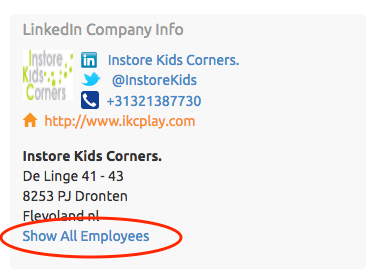
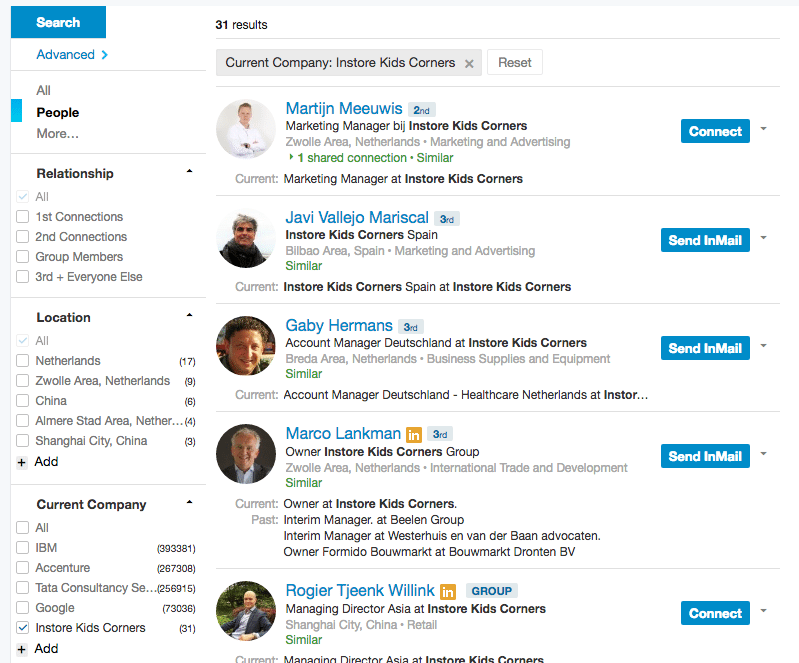
We added links to show all the employees from a companies we matched via LinkedIn


LinkedIn-employee-deeplink


Clicking this link will take you directly to LinkedIn for you to find the best person you can contact.


LinkedIn-employees


For Dutch companies we added a link to the official Chamber of commerce website where you can find or purchase more information on the specific company.

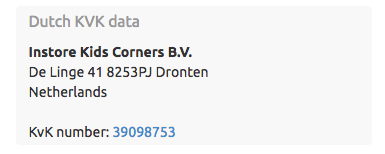
Kvk-deeplink


June 10, 2016

Select date-range or period

We have added the option to the leadboard to filter using a pre-defined period or date range. This enables you to narrow or expand your lead list for improved lead generation. For example you can now set the period to yesterday and see the top leads from just that day.

You can now choose from these options:

  • Today
  • Yesterday
  • last 7 days
  • last 14 days
  • last 30 days
  • last 60 days
  • last 90 days
June 10, 2016

New Top Navigation

Today we released a new and improved top navigation, it should make our top features easier to use and more pleasant to the eye.

It also marks the beginning of an series of changes to improve the user experience (UX) by changing the user interface (UI)

May 06, 2016

Advanced Lead Search

We’ve added advanced searching so you can leverage the full search capacity built into LeadBoxer.
Advanced Search allows you to search for values in specific columns/fields enabling you to specify and locate the leads you are looking for.

Some examples are: Leads from an IP address or range, Leads from a specific city, Leads that visited a specific page/url, etc

For full documentation see: Advanced searching for leads

April 06, 2016

Download Improvements

Download leads from current search

If you have searched for a specific term and would like to export the results, you can now click download and select the option to do so.

Download leads from a list

If you like to only download the leads that are in a specific LeadList, you can now also do so by clicking the download button after selecting your list from the dropdown in the LeadBoard

Lists and owner added to download

If you now download your leads for further processing, the owner and the list the lead is visible in the results.


March 06, 2016

Organise Your Leads With Lists

Plan to succeed; organise your leads into lists

Today we introduce a new and oft-requested feature allowing you to create unlimited lists and add Leads to them.

These list can be updated and accessed by the entire team and can help you categorise your leads in sections like: Clients, Suppliers, Competitors, Job seekers, etc

See a tutorial here: Organise leads in lists

February 06, 2016

Real-time leads

Today we are happy to announce that we’ve improved the hardware, the infrastructure, and the software which powers the LeadBoxer engine.

The result? Two take-homes:

  1. faster loading times of the app, and
  2. more importantly: Leads can now be viewed in Real-time!

Sorting your leadboard by ‘last-event’ displays leads as land on your site.

Extremely useful if you are talking to a (potential) client – the ability see what they are doing as you talk to them!

See docs here: Monitor leads during phone calls